cekulvakfi.org
CEKUL VAKFI - Restructuring Navigation and Visual Hierarchy
SCOPE
Web
COMPANY
OctoHaus
In the redesign of the ÇEKÜL Foundation website, I focused on transforming the content-heavy structure into a simpler, more understandable, and scalable digital experience. I contributed to simplifying the navigation structure, visually separating program pages, and creating page structures that allow users to navigate more easily between content.

My Role
I contributed to the UX and UI design of the ÇEKÜL Vakfı website redesign as part of a design team. My work focused on the navigation structure and visual execution of the program pages, translating the foundation's renewed identity into a coherent digital experience across a content-heavy platform.
PROBLEM STATEMENT
Challenge
The existing site had accumulated decades of content without the structure to support it. Two navigation layers competed at the top of every page. Program pages all looked identical, giving users no visual sense of where they were or how programs differed from one another. Inner pages relied on heavy left sidebars that made content hard to scan and navigate.
Beyond the structural issues, ÇEKÜL operates across 7 distinct program areas, each with its own audience and purpose. A first-time visitor trying to understand the foundation's work and a returning supporter looking to donate were navigating the same undifferentiated experience. The site needed to serve both without losing either.

Old Design

New Design
IDEATION
Process
The project started from a brief and a deep look at the existing site. Rather than conducting formal user research, the team drew on the foundation's own understanding of its audiences and content and on what the old site made painfully visible: too much information, not enough structure.
The redesign was approached in layers. First, the navigation and information architecture; what goes where, and how users move between sections. Then, the visual language; how the new brand identity translates into a digital system that could scale across 7 programs. These two decisions shaped everything else.


SOLUTION #1
Simplifying Navigation
The existing site had two competing navigation layers. The top bar carried the main menu Hakkımızda, Haberler, Makaleler and so on. Below it, a second full-width bar listed all of ÇEKÜL's individual programmes, effectively creating a parallel navigation with no clear hierarchy between them. Users had no consistent way to understand what was primary and what wasn't.
The redesign collapsed this into a single primary navigation with four grouped categories. Secondary actions like social media links, the shop, and the newsletter were moved to a utility bar above, separating wayfinding from destination.

Before

After
The same problem, across every inner page
Every inner page followed the same pattern: a left sidebar carrying the full section menu, competing with the main content for attention. The sidebar didn't help users navigate, it added noise before they even reached what they came for.
The Akademi page is one example. The sidebar was removed, section context moved into the persistent top navigation, and the page was restructured to lead with content. Training content is now organized by audience and program type, accessible directly from the page.
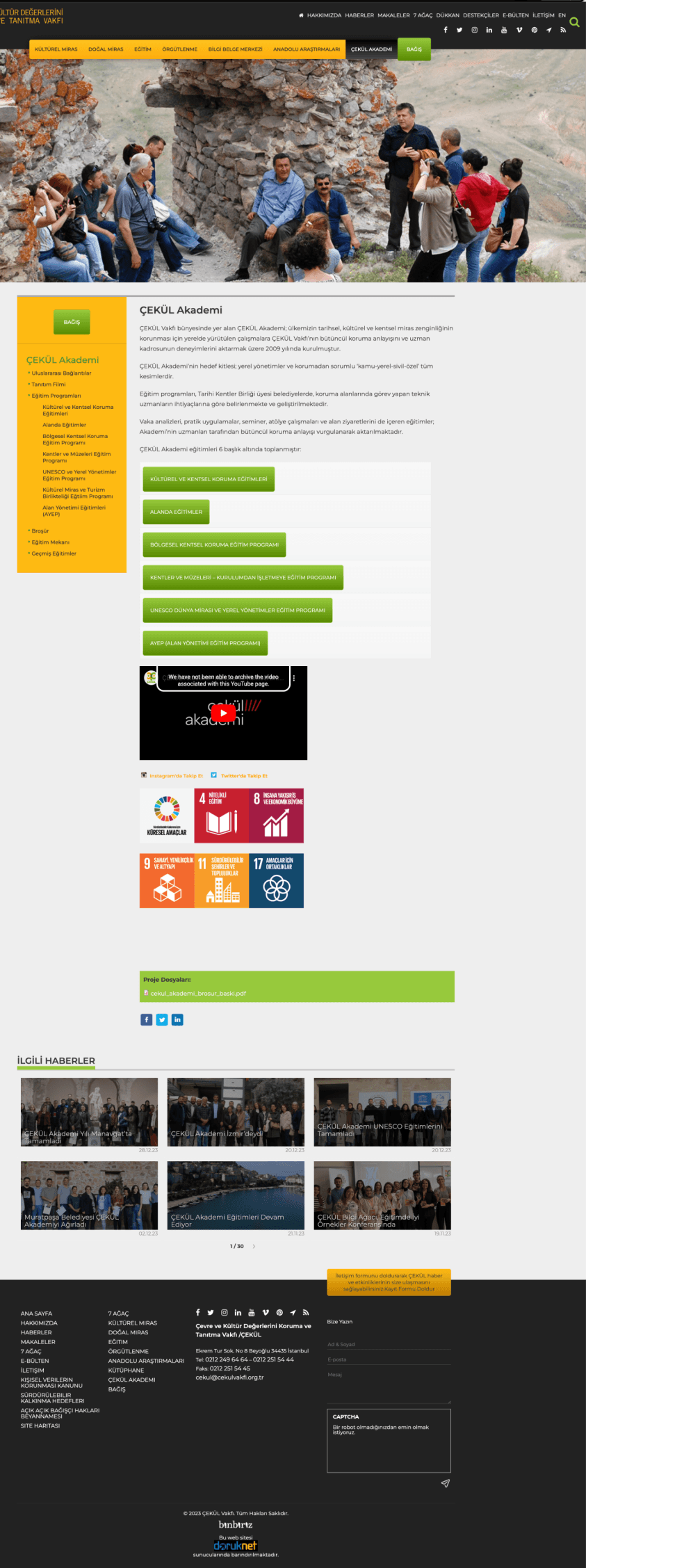

Before
After
Contextual content components were added to each page based on what users needed next without relying on a sidebar to carry the full menu.
Same structure, different page
The donation page followed the same pattern: a yellow sidebar listing every donation option, a dense text block, and bank account details stacked at the bottom. The page asked users to process too much before they could act.
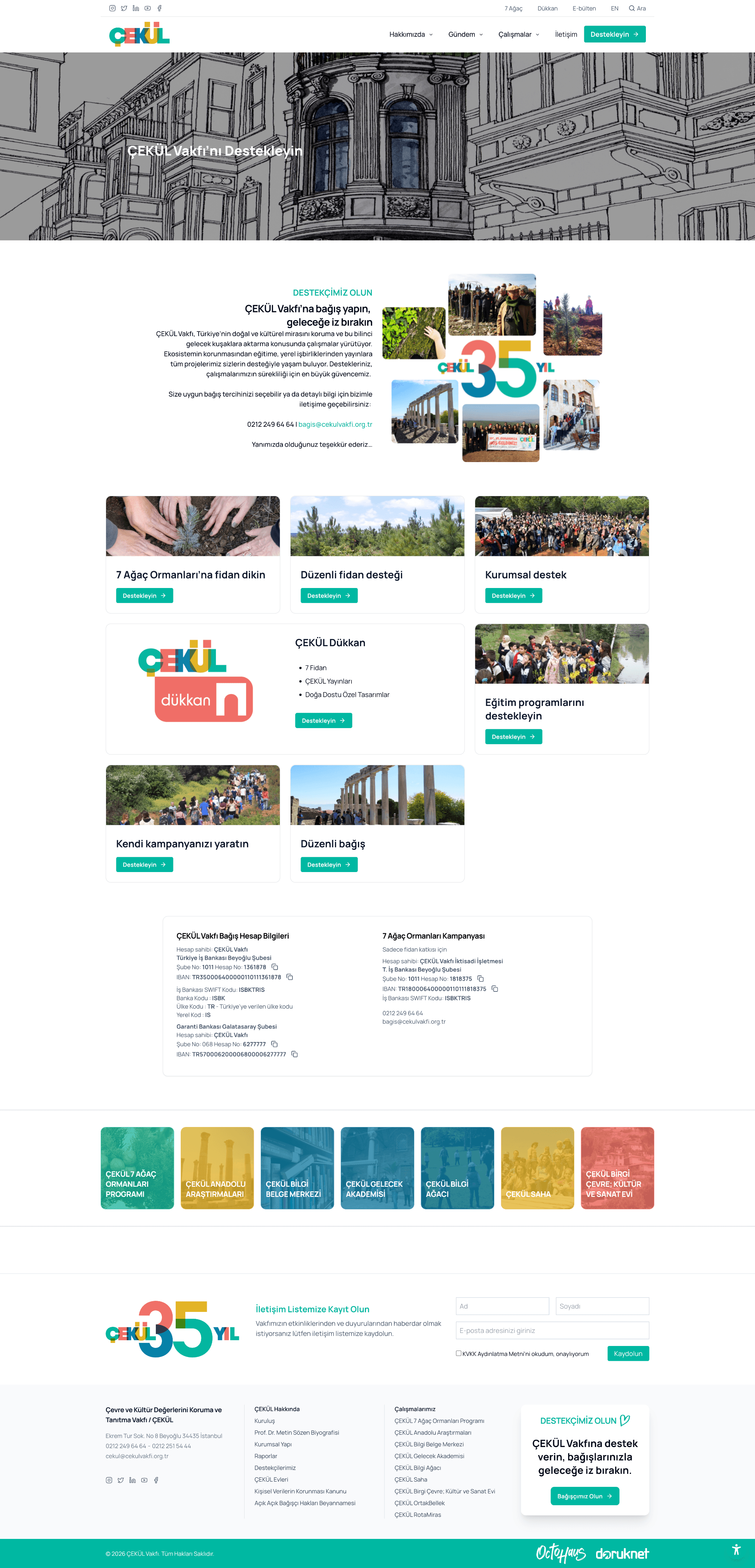
The new page leads with a clear headline, organizes giving options as scannable cards, and moves the bank details below the fold, visible when needed, not competing for attention from the start.
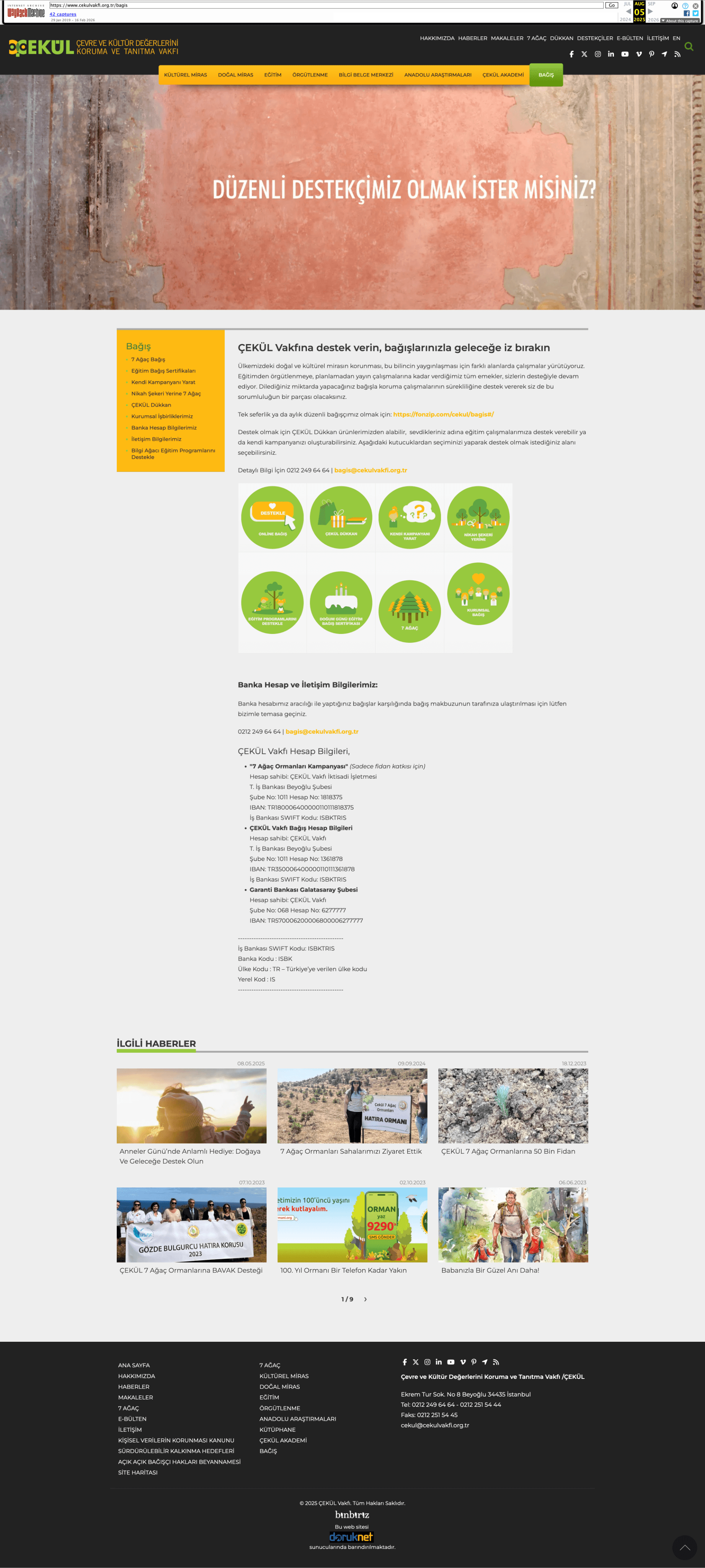
Before
After
SOLUTION #2
Program Color System & Contextual Navigation
ÇEKÜL operates across 9 distinct program areas but the old site made them all look identical. Same layout, same accent color, no visual distinction between programs.


Before


Each program carries its own color applied consistently across navigation, headers, and cards


The system scales across the whole site
The color system wasn't limited to program pages. Every cross-linking component —CTAs, promotional blocks, and editorial sections on the homepage— inherits the color of the program it points to. A block promoting Bilgi Ağacı content appears in teal. A publishing section appears in blue. Users don't need to read the label to understand the context, the color does it first.


Homepage components inherit program colors — the system works without any extra navigation cues.
What I Learned
More information isn't always better. The most valuable thing I took from this project wasn't technical. It was knowing what to take out, not just what to put in.
Working with an institution like ÇEKÜL also shifted how I think about users. The person arriving at the site isn't the only one you're designing for. A foundation has its own internal logic, its own language, its own priorities and those matter too. Learning to hold both at once, the institution's identity and the visitor's needs, was something I hadn't encountered in the same way before.
Navigation was the clearest example, but the same question sat underneath every decision. What do you show, what do you leave out, how do you order what remains. I kept coming back to that throughout the project.